Viewing scores, college lists, and applications

Viewing Scores, College Lists, and Applications

This article covers how Admins can view, update, and manage the core components of a student’s admission profile:
Scores, College Lists, and Assessments/Applications.

These sections ensure that all academic and application data remain organized and accessible.

1. Accessing Planner Components

  1. Open Students → Student Profiles

  2. Select a student

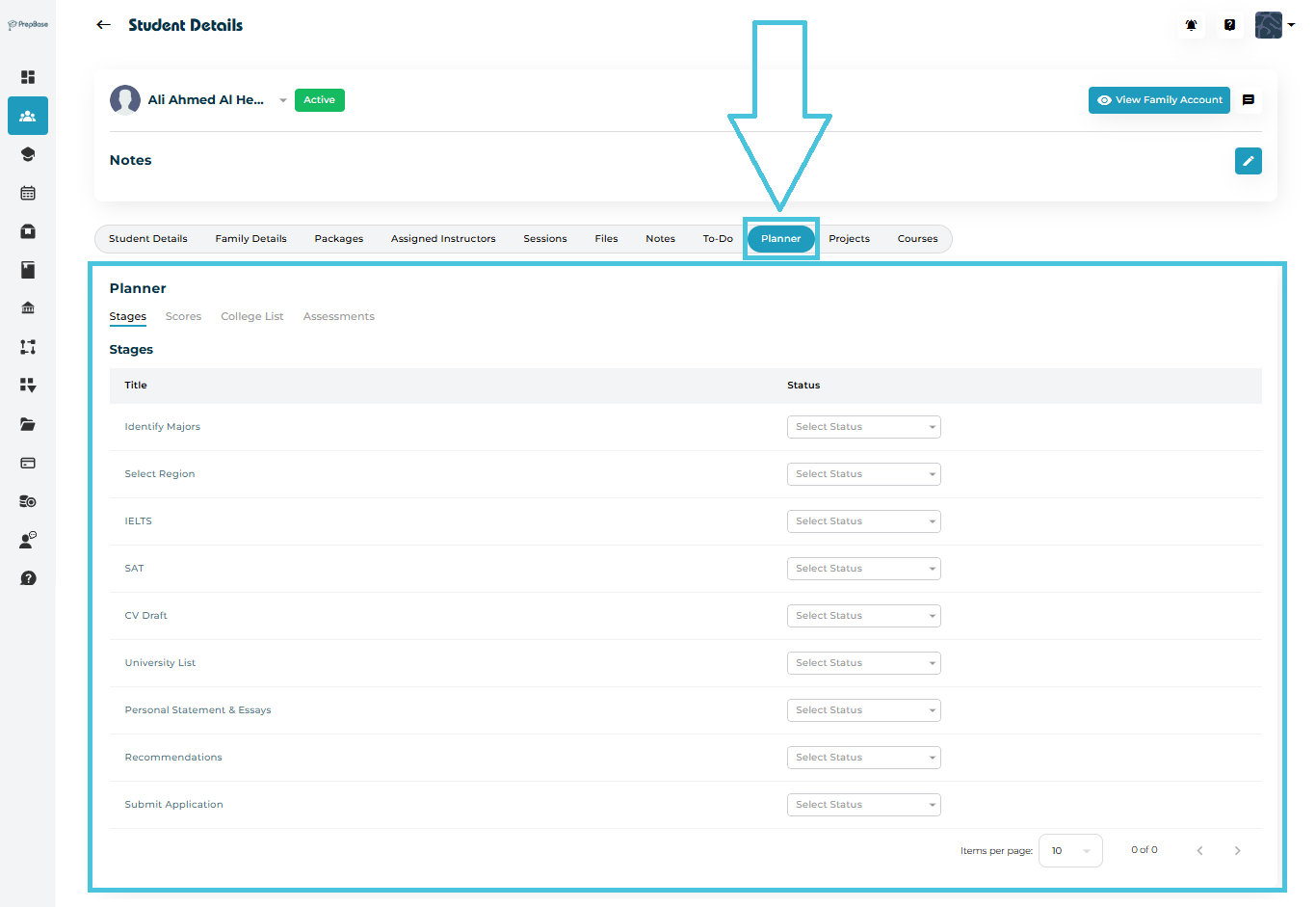
  3. Navigate to the Planner tab

  4. Switch between:

    • Scores

    • College List

    • Assessments

2. Scores: Viewing and Updating Student Test Results

The Scores tab shows a clean table of all standardized test results.
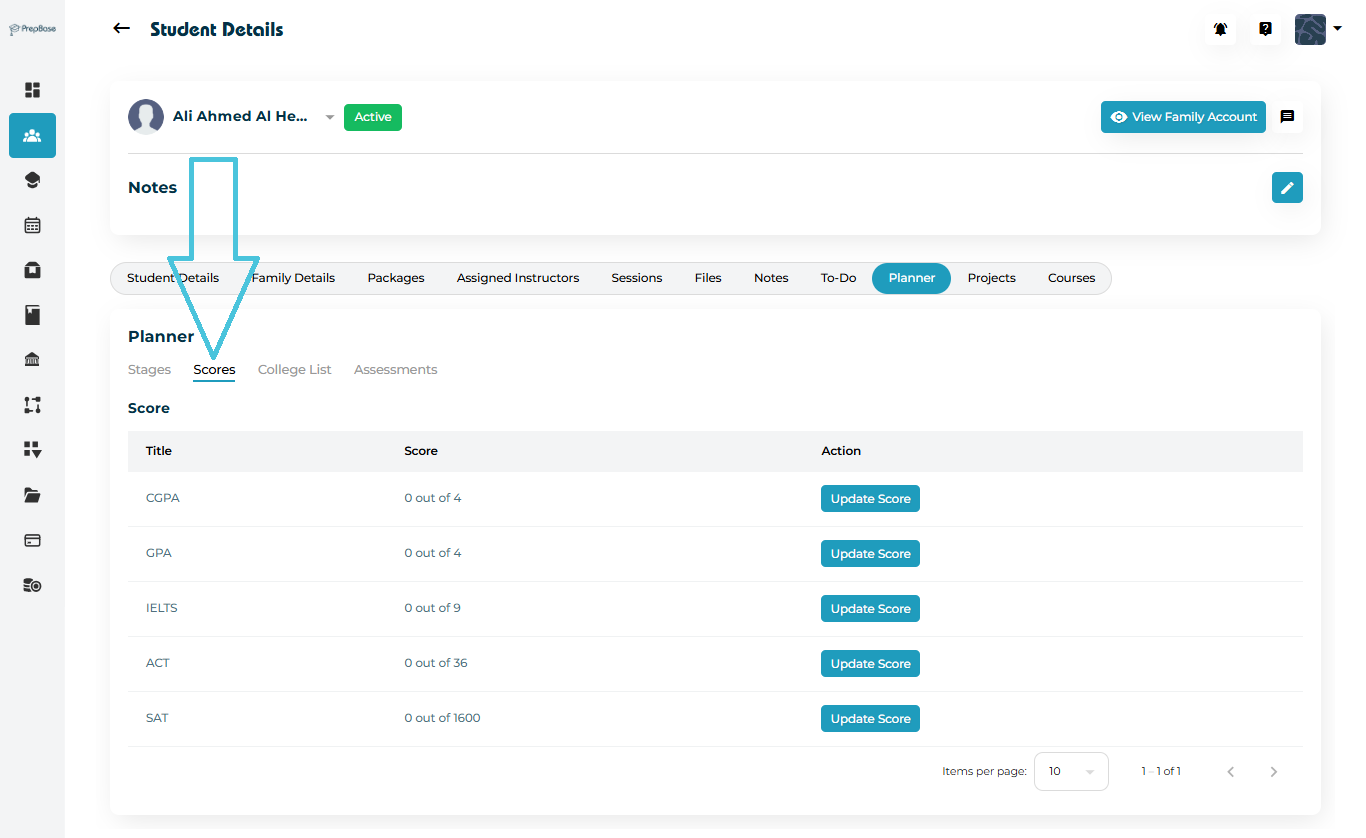
Available scores include:

  • CGPA (0–4)

  • GPA (0–4)

  • IELTS (0–9)

  • ACT (0–36)

  • SAT (0–1600)

Updating a Score

Click Update Score next to the exam → enter new score → Save.

3. College List: Viewing Student’s University Choices

The College List tab shows universities the student has chosen to apply to.
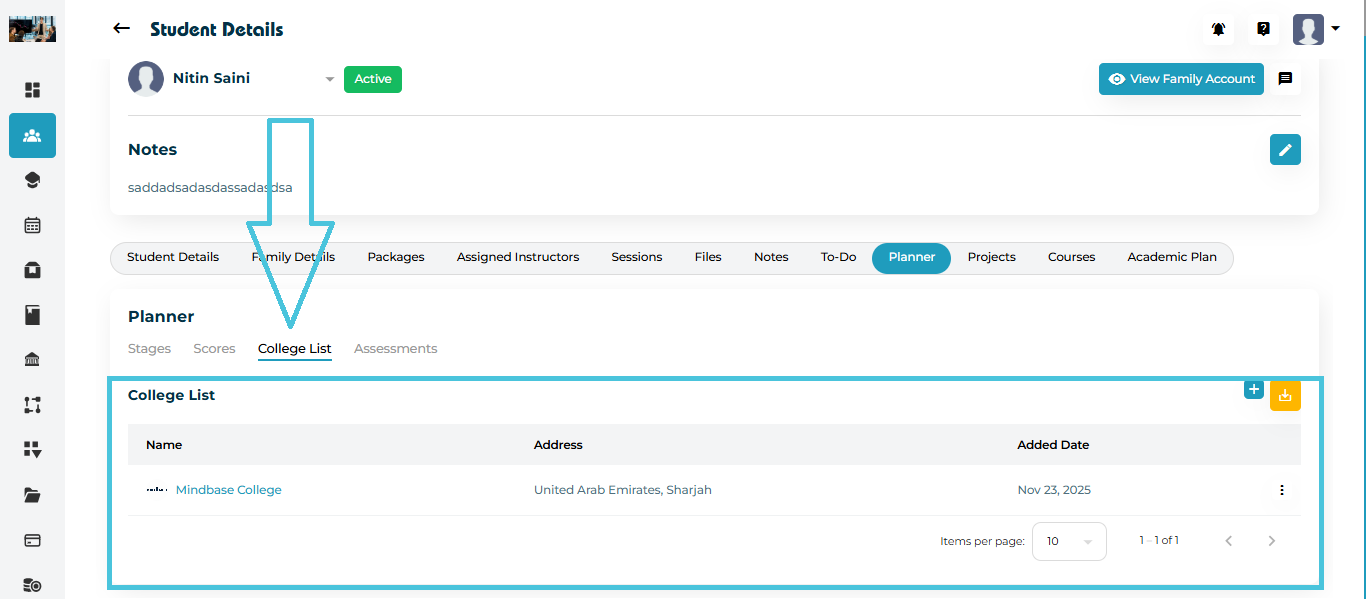
What You Can Do:
  • View selected universities

  • Add new colleges

  • Check study locations, majors, ranks, and fees

  • Export the list using the download button

Adding New Colleges
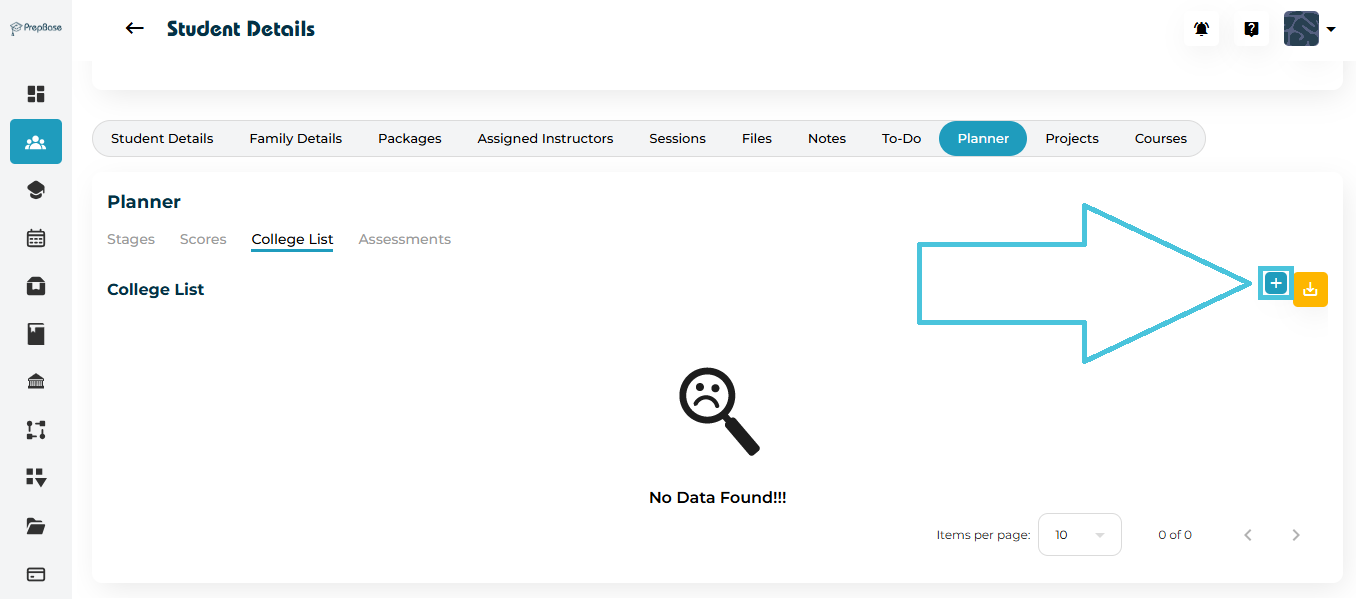
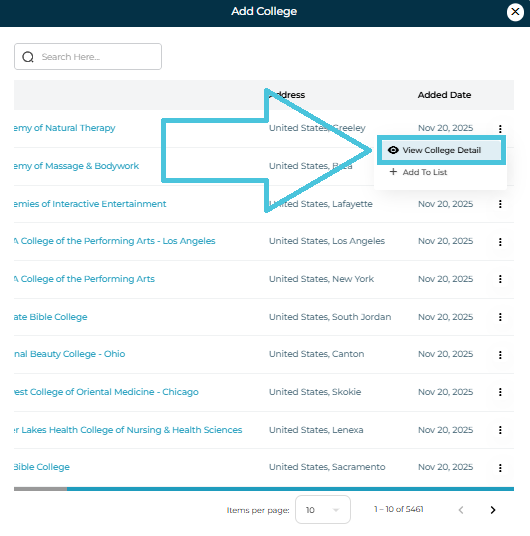
  1. Click Add (+)

  2. Use the search bar to find a college

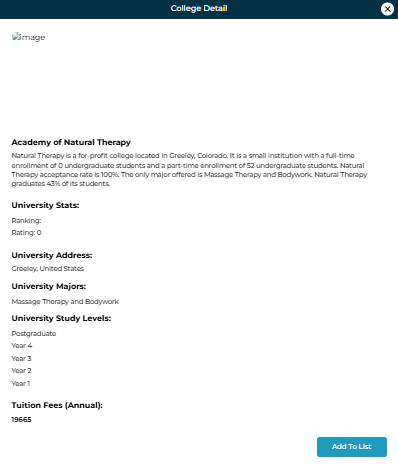
  3. Use View College Detail to preview information

  4. Select Add to List to include it in the student’s plan

4. Assessments: Viewing Admission Readiness Evaluations

The Assessments tab displays all academic or counseling assessments completed by the student.
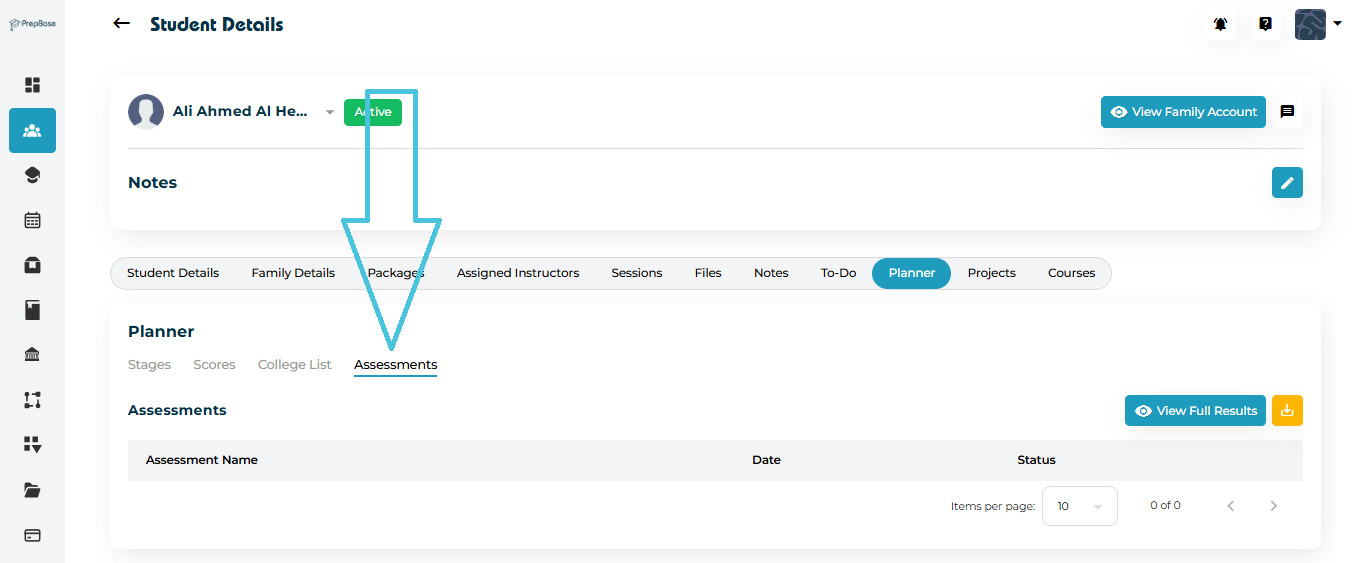
You can:
  • View the assessment name

  • Check completion date

  • Review the status

  • Open full results via View Full Results

These assessments help administrators measure the student’s preparedness for the application cycle.

5. Applications (within College List & Stages)

While PrepBase does not show a separate “Applications” tab, applications are tracked across:

  • Stages (e.g., Submit Application, University List)

  • College List (selected universities)

  • Scores (eligibility indicators)

  • Assessments (readiness indicators)

This provides a holistic view of the student’s application progress.

6. Why This Matters

Admins can quickly:

  • Assess student preparedness

  • Track which universities they are applying to

  • Monitor eligibility through test scores

  • Evaluate progress through assessment results

  • Support students effectively in the admission journey

IN THIS ARTICLE