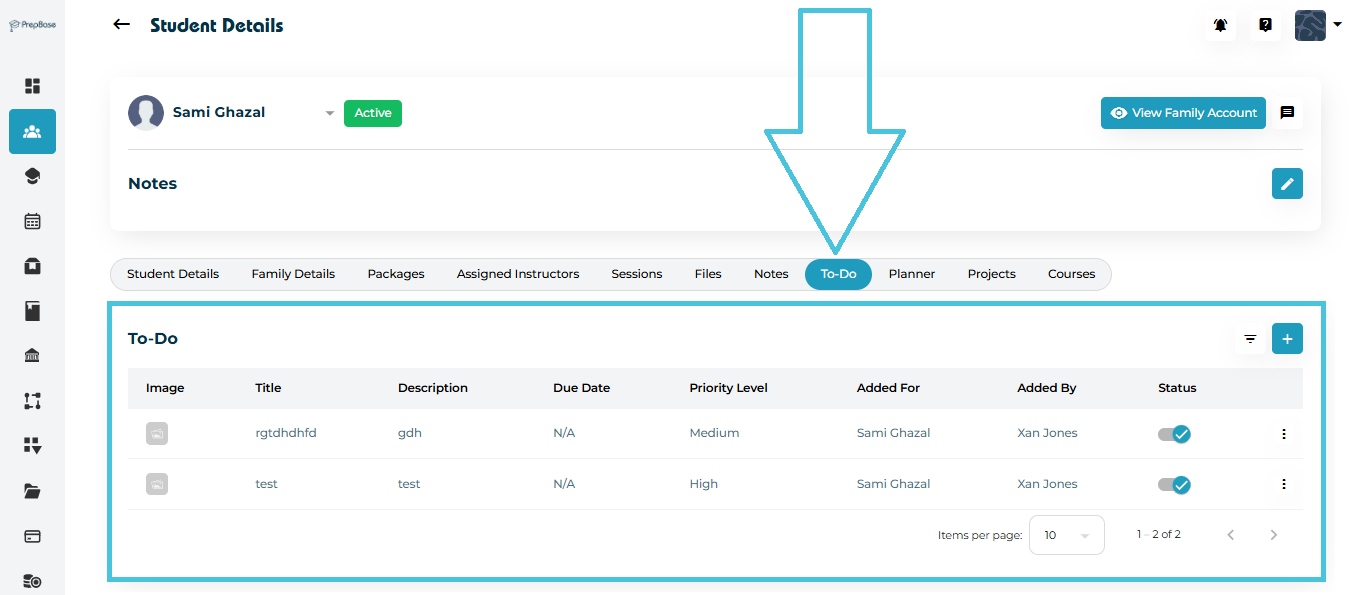
Go to Students → Student Profiles
Select the student you want to assign tasks to
Open the To-Do tab in the top navigation.
You will see a table listing:
Image (optional task image)
Title
Description
Due Date
Priority Level
Added For (Student)
Added By (Admin / Counselor / Tutor)
Status (Active/Inactive)
NOTE: inactive To Dos do not appear to students on their dashboard or to do tab.
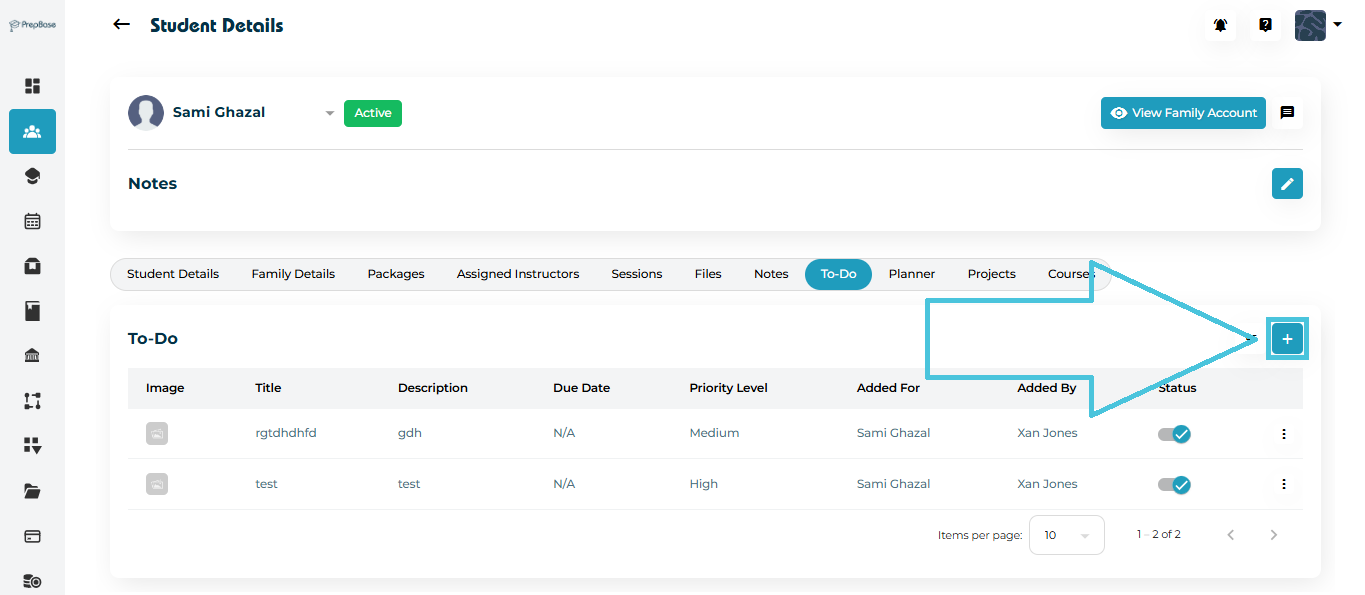
Click the ➕ Add button at the top-right of the To-Do list.
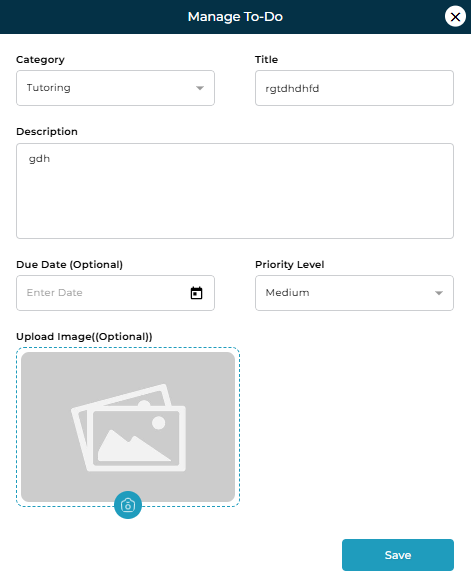
The Manage To-Do pop-up will open.
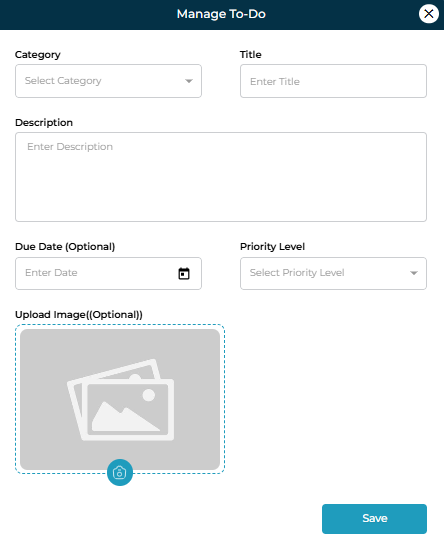
Fields in the To-Do Form
| Field | Description | Required |
|---|---|---|
| Category | Choose: Tutoring or Counselling | ✅ |
| Title | Short, clear task name | ✅ |
| Description | Detailed instructions for the student | ✅ |
| Due Date | Optional deadline for task completion | ❌ |
| Priority Level | Select Low, Medium, or High | ✅ |
| Upload Image | Add optional attachments or supporting images | ❌ |
After filling the details, click Save.
If a task must be updated:
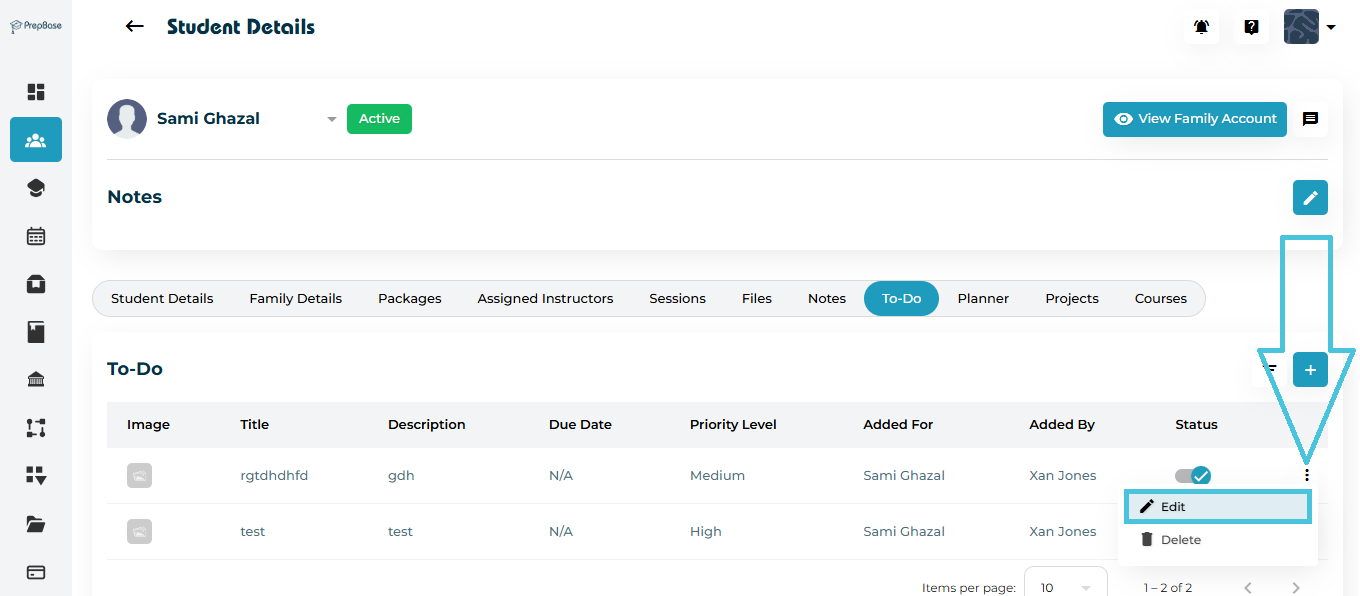
Click the three-dot menu (⋮) next to the task
Select Edit
Update the category, title, description, due date, or priority
Click Save to apply all changes.
To remove a task:
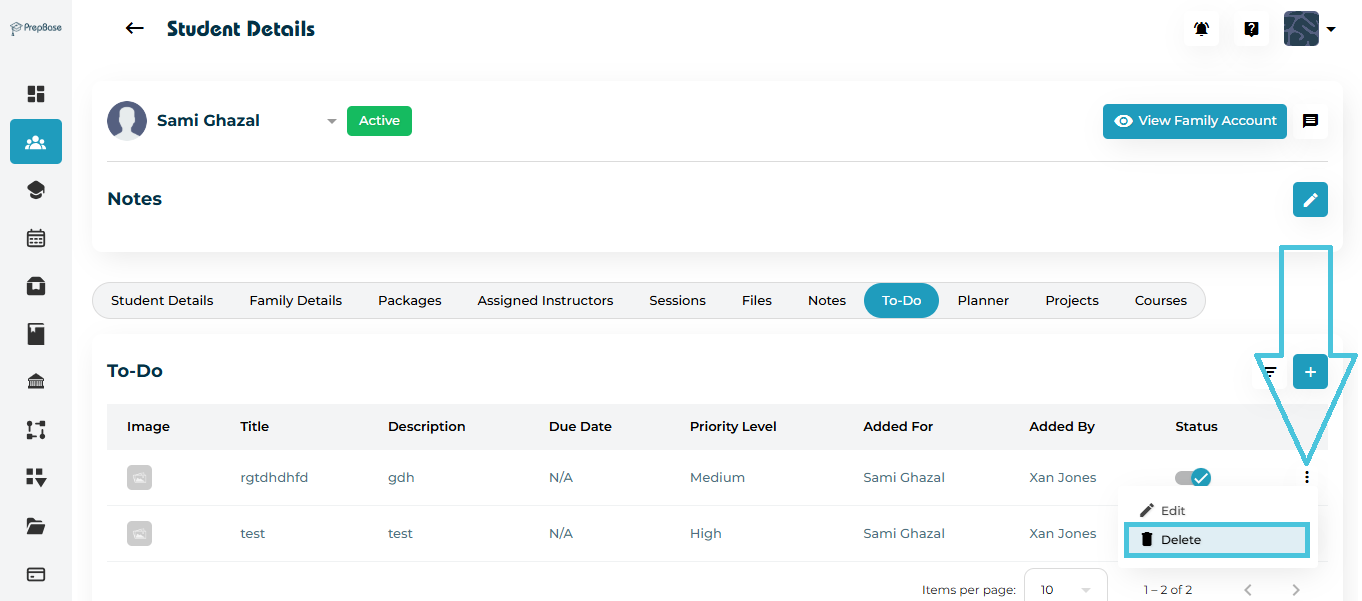
Click the three-dot menu (⋮)
Select Delete
Confirm deletion
Admins can quickly locate tasks using the built-in filter panel.
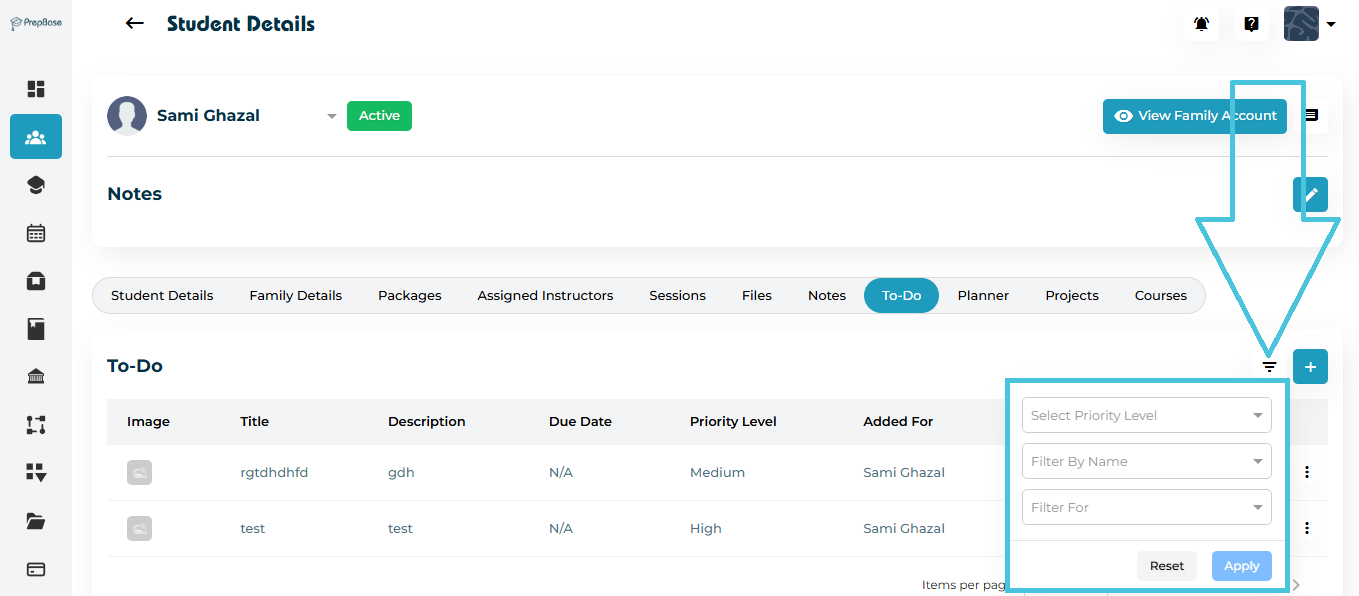
Click the Filter icon
Filter by:
Select Priority Level (Low / Medium / High)
- Filter By Name of who added the task (Tutor / Counselor / Admin)
Filter For (Tutoring or counselling)
Click Apply
Use Reset to clear filters