Creating tutoring & counseling packages

Creating Tutoring & Counseling Packages

The Packages module allows administrators to build structured service bundles for students—whether for tutoring, test preparation, counseling, or any other academic service your organization offers. Packages define what a student receives, how many hours are included, pricing, promotional eligibility, and optional hour-based extensions.

This guide walks you through everything you can do inside the Packages section, using tutoring and counseling packages as examples.

1. Navigating to the Packages Section

  1. Open the side navigation menu.

  2. Go to Packages & Promos → Packages.

  3. Choose the service category you want to manage:

    • Tutoring

    • Counseling

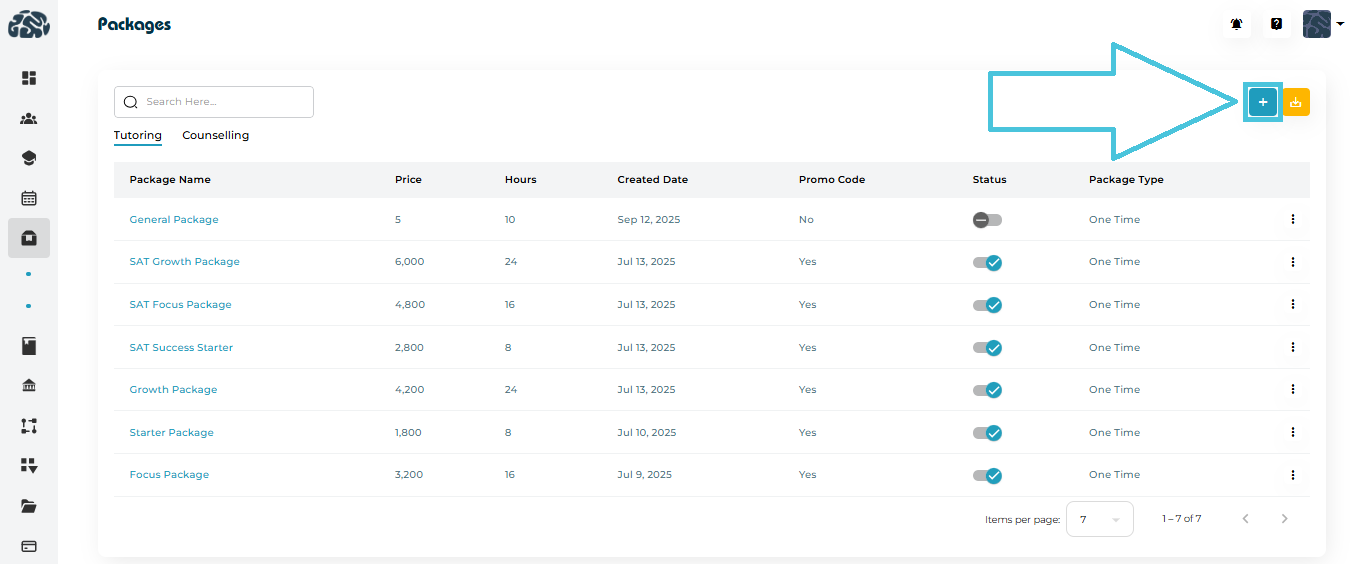
Each tab lists all active packages under that service, showing key details such as price, hours, promo code eligibility, status, and package type (One-Time, Subscription, etc.).

2. Creating a New Package

Click the “+” Add Package button to open the package creation form. 
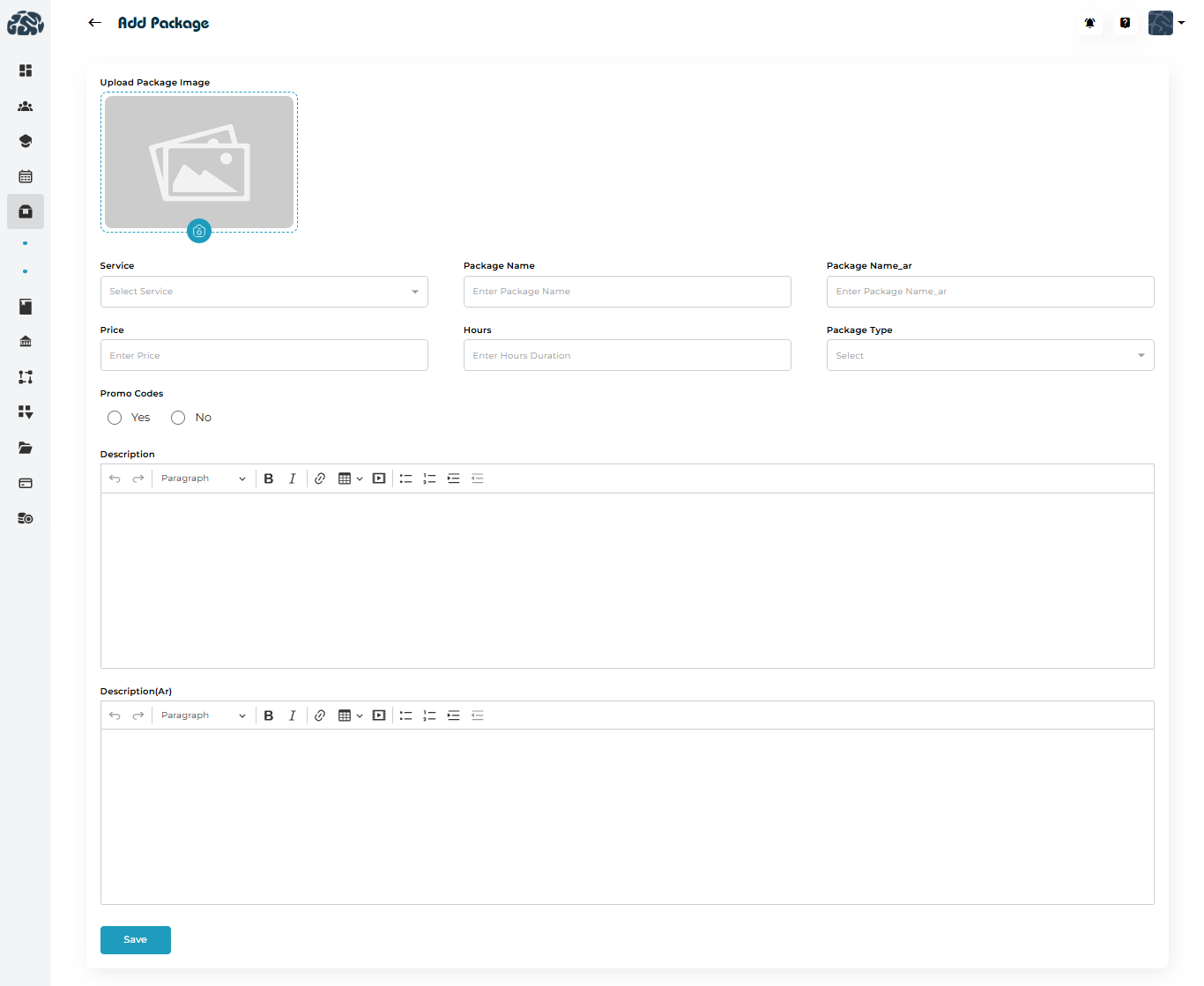
Fields Included When Creating a Package

When adding a new tutoring or counseling package, you will be able to configure:

  • Package Image

  • Service Selection

  • Package Name (EN & AR)

  • Price

  • Hours

  • Package Type

  • Promo Code Eligibility

  • Description (EN & AR)

3. Adding Hour Extensions (Optional Add-On)

Some organizations allow students to extend a package by purchasing hourly add-ons.

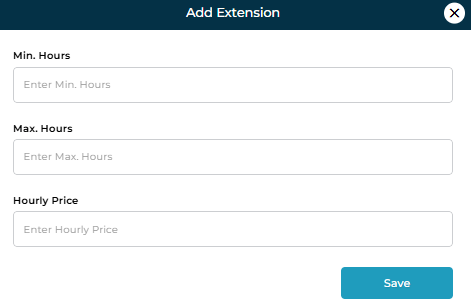
If enabled, you can define:

  • Minimum Hours

  • Maximum Hours

  • Hourly Price

This is perfect for students who finish their package but want extra sessions without purchasing a full new package.
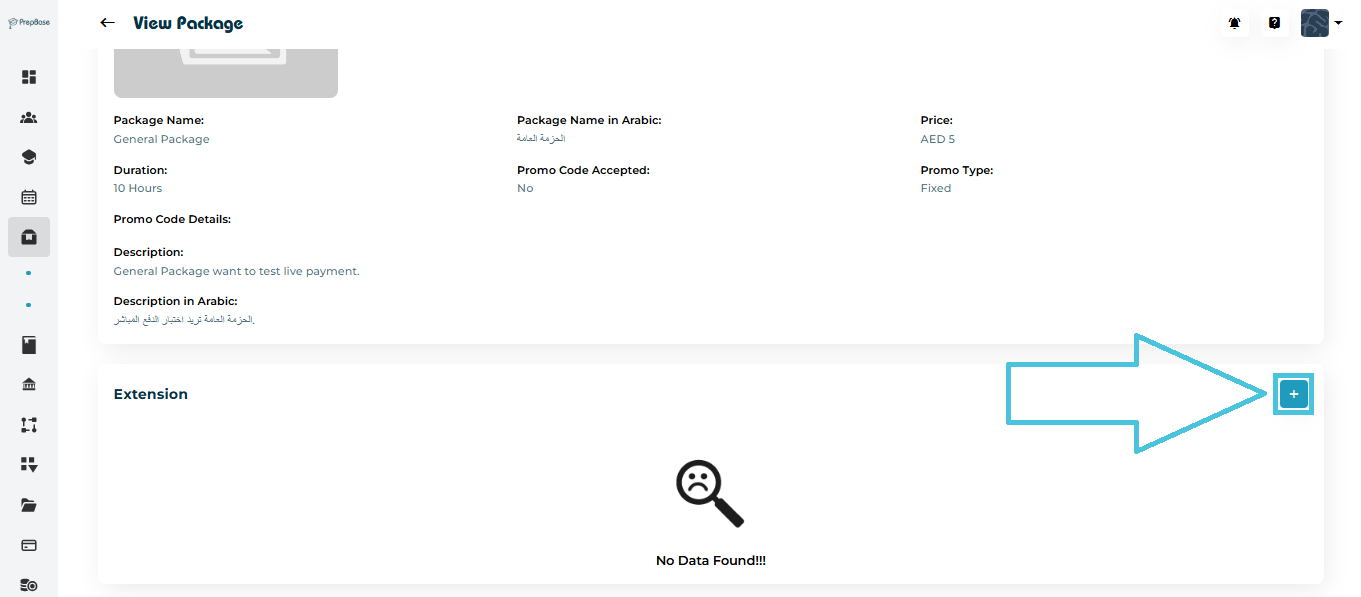
To add an extension:
 

  1. Open the package.

  2. Scroll to the Extension section.

  3. Click the “+ Add” button.

  4. Enter the extension configuration.

  5. Save.

4. Viewing Package Details

Each package has a detailed view showing: 
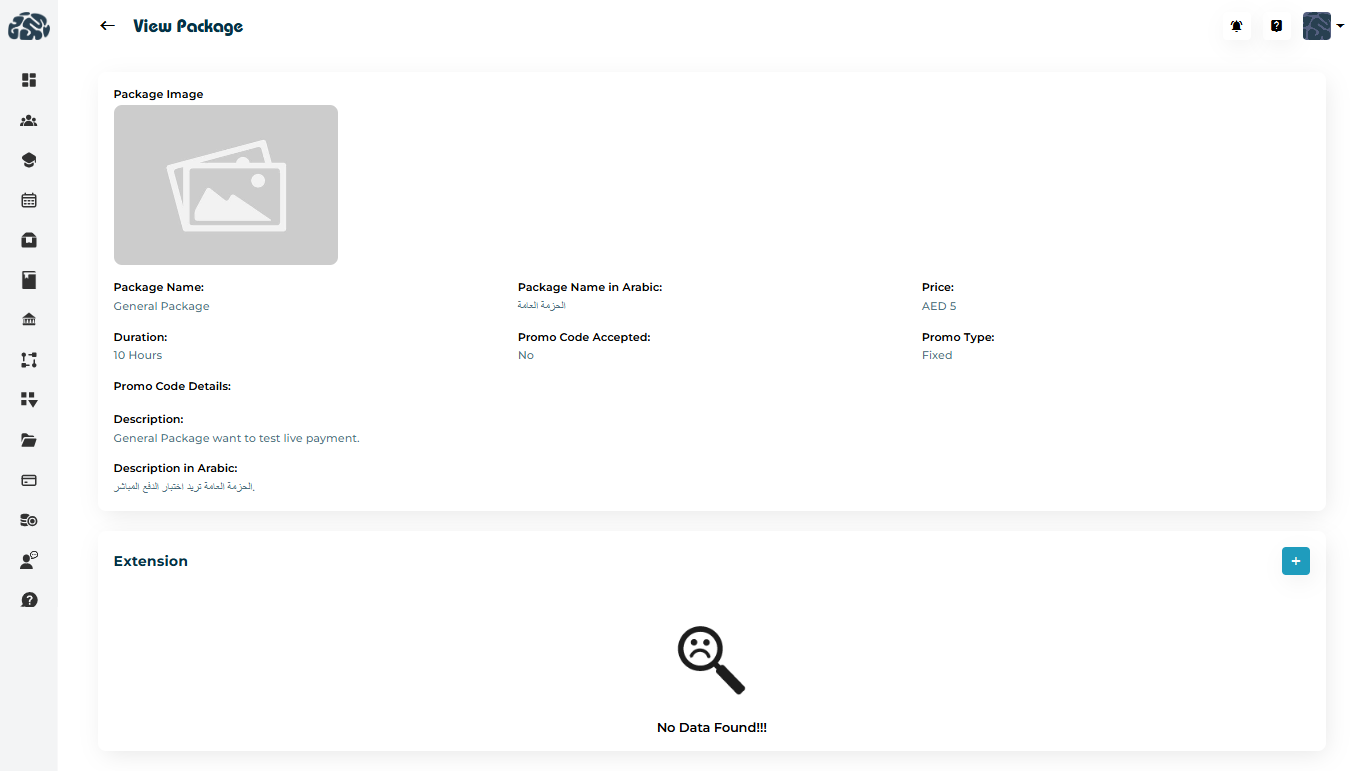
  • Package image

  • Name (EN & AR)

  • Duration (total hours)

  • Price

  • Promo code acceptance

  • Package type

  • Full description in all available languages

  • Extension details (if any)

You can access this by selecting “View” from the options menu (three dots).
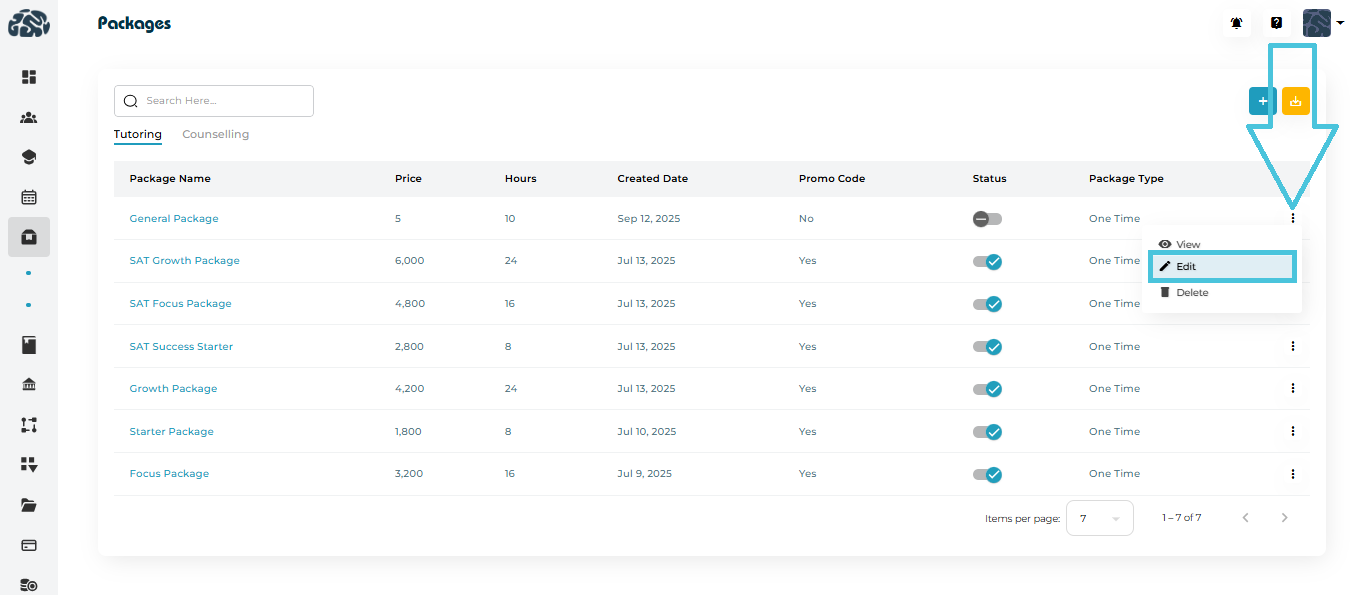
5. Editing an Existing Package

If you need to update a tutoring or counseling package:
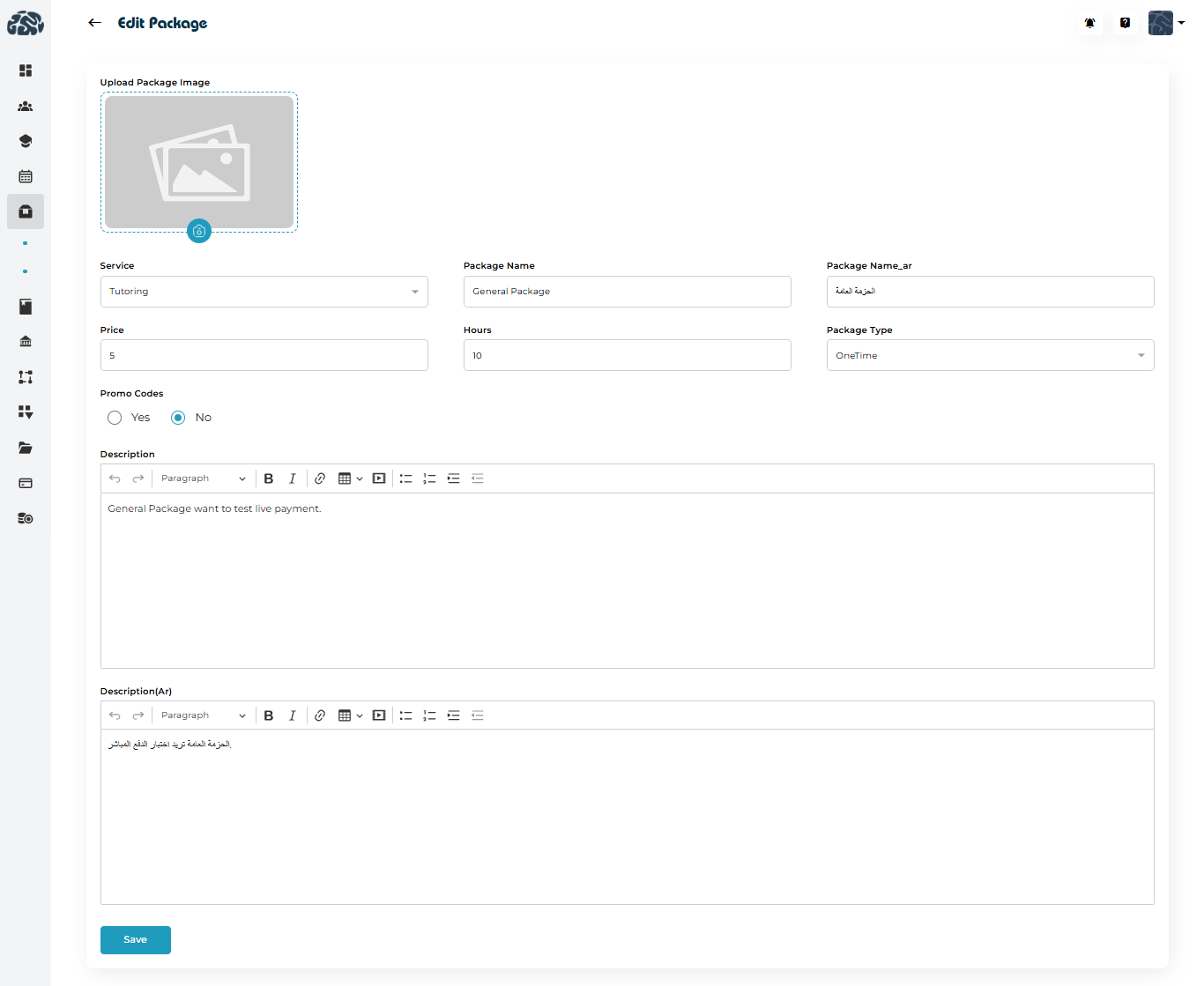
  1. Click the three dots (…) beside the package.

  2. Choose Edit.

  3. Make your updates:

    • Adjust pricing

    • Update descriptions

    • Change hours

    • Replace the image

    • Enable/disable promo codes

    • Update extension rules

  4. Click Save.

Edits apply immediately to the package listing.

6. Deleting a Package

You may delete outdated or discontinued packages.
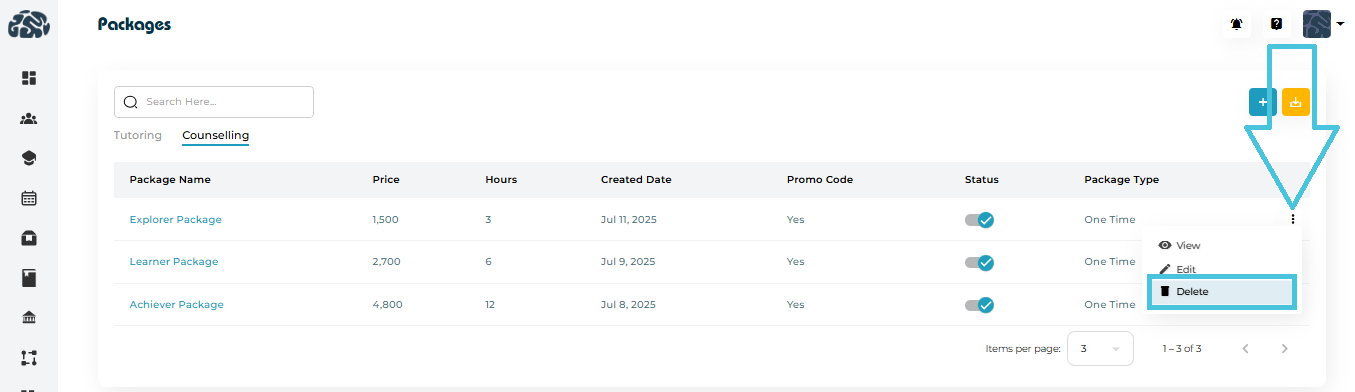
To delete:

  1. Select the three dots (…) next to the package.

  2. Click Delete.

  3. Confirm the action.

7. Exporting Package Data (CSV Download)

A CSV export button allows admins to download:
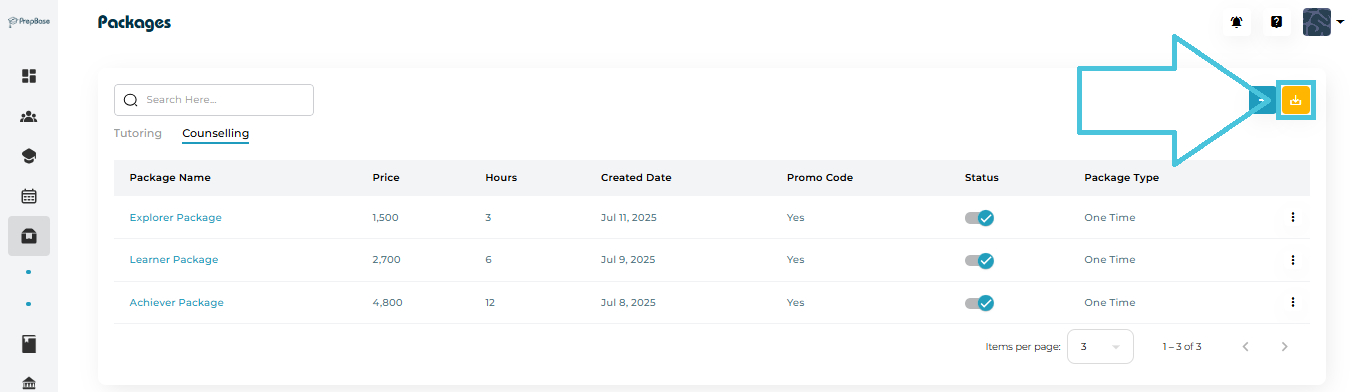
  • Tutoring package data

  • Counseling package data

This helps with:

  • Finance reports

  • Sales analytics

  • Inventory of services

  • Operational tracking

One click generates a clean file for offline use.

8. Tutoring vs. Counseling Packages — What’s Different?

Although the creation process is identical, tutoring and counseling packages may differ in:

Tutoring Package Examples
  • SAT Prep Bundle

  • Math Improvement Package

  • Academic Booster

  • One-on-One Tutoring Hours

Counseling Package Examples
  • University Application Counseling

  • Major Selection Guidance

  • Study Abroad Planning

  • Personalized Success Coaching

Both types support:

  • Custom pricing

  • Hour allocation

  • Multilingual descriptions

  • Promo code rules

  • Optional extensions

9. When to Use Packages?

Packages are ideal for:

  • Selling structured service bundles

  • Offering discounted rates based on hours

  • Creating clear academic or counseling pathways

  • Managing prepaid student hours

  • Integrating with automated billing or session tracking

10. Best Practices

  • Use clear, benefit-driven names
    e.g., Achiever Package, Explorer Counseling Plan, Test Prep Starter Bundle.

  • Add detailed descriptions
    Explain exactly what the student receives.

  • Enable promo codes strategically
    Great for marketing campaigns.

  • Use extensions to upsell additional hours
    Flexible and convenient for both admin and students.

  • Group packages under counseling vs tutoring properly
    Helps instructors and staff find them easily.

IN THIS ARTICLE