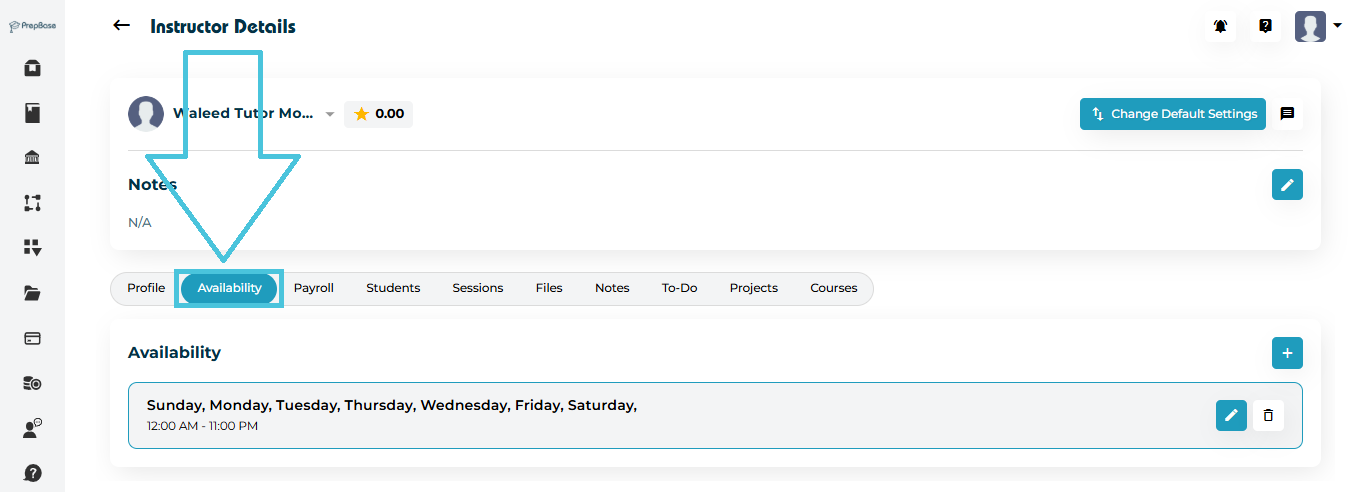
Go to Instructors from the Admin left menu.
Click View on any instructor.
Open the Availability tab.
Here you will see all active availability entries listed by day and time.
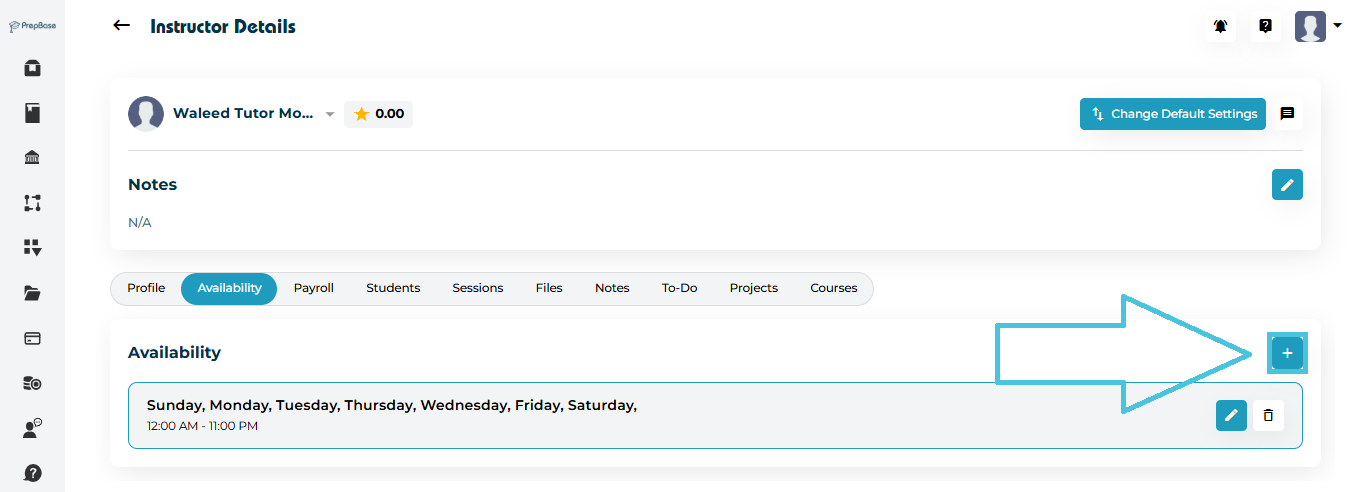
To create new availability slots:
-
Click the ➕ Add Availability button.
-
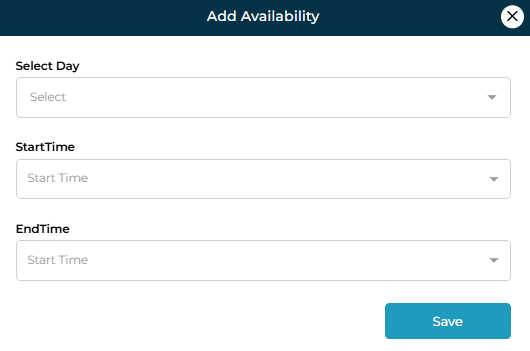
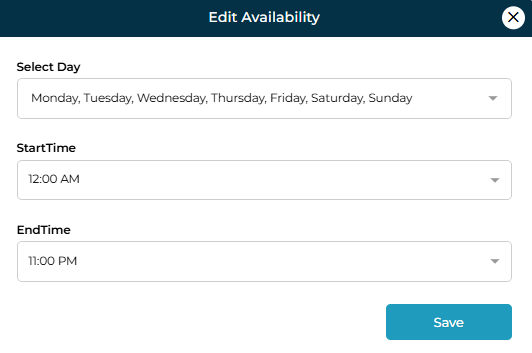
A form will appear where you can define:
-
Select Day (choose one or multiple days)
-
Start Time
-
End Time
-
-
Click Save to add the availability.
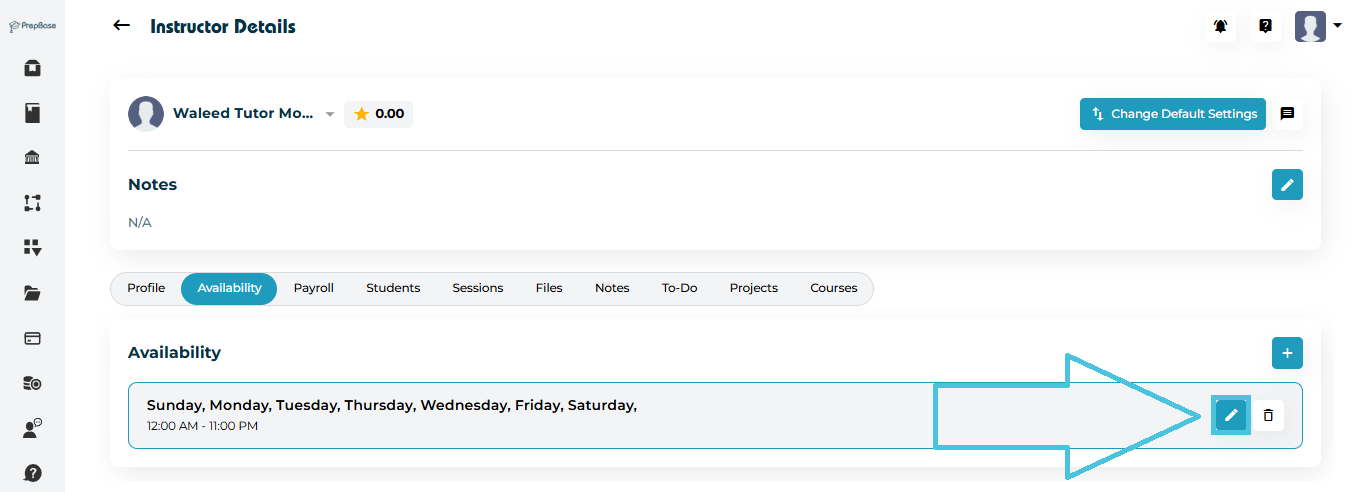
If an instructor’s hours change, you can update an existing entry instead of creating a new one.
-
Locate the availability entry in the list.
-
Click the ✏️ Edit button.
-
Update:
-
Selected Day(s)
-
Start Time
-
End Time
-
-
Click Save.
If an instructor is no longer available during a specific time:
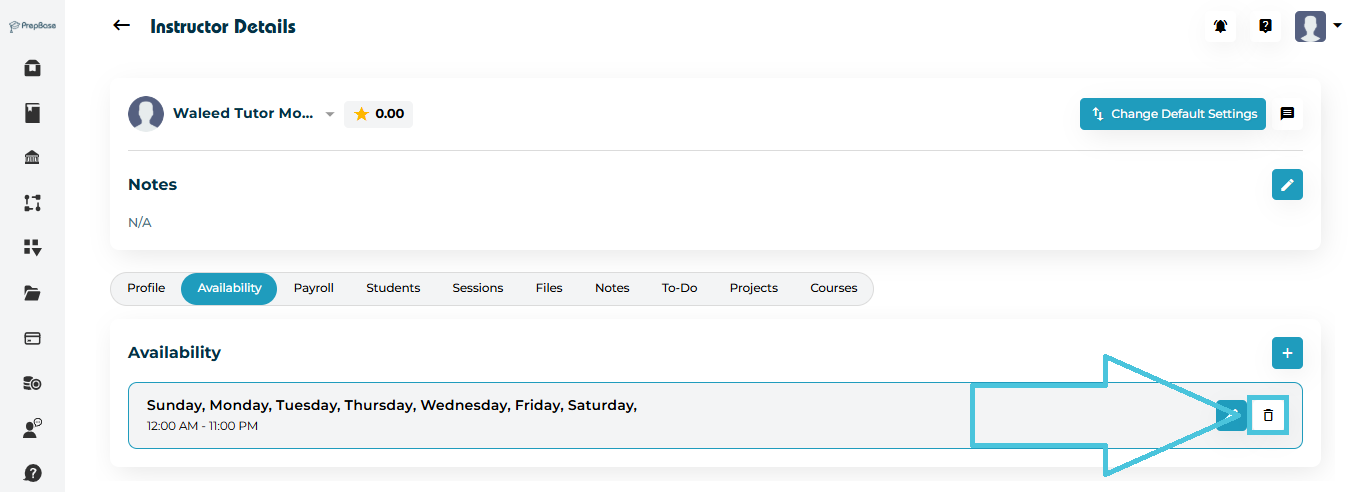
Click the 🗑 Delete icon on the availability entry.
Confirm deletion.
The slot will be permanently removed from their schedule.